
Pay Your Columbus Light & Water Bill, Check Balance, Report an Outage, Request Service, or Fix a Billing Problem
Columbus Light & Water is the local utility for Columbus, Mississippi customers who need help with electric, water, account balance, outage reporting, new service, disconnection, garbage billing and payment-extension questions.
This guide is built for real customer actions. Use it to find the official bill-pay portal, call the correct phone number, understand extension rules, prepare move-in or move-out details, avoid wrong-account payments and keep proof when a payment or service request must be verified.
Start Here: Choose the Exact Columbus Light & Water Help You Need
The fastest solution depends on your real problem. A normal bill payment, a past-due account, an outage, a move-out, and a payment extension all need different steps.
How to Pay Your Columbus Light & Water Bill Online
The safest way to pay is to begin from Columbus Light & Water’s official website and use the payment portal linked there. This avoids old links, wrong Columbus utility pages, and third-party confusion.
-
Open the official bill-pay portal.
Use the official route linked from Columbus Light & Water: View / Pay My Bill. -
Keep your current bill ready.
Before payment, keep your account number, service address, customer name, amount due, and due date nearby. -
Confirm the account before submitting.
Check that the account, address, name, and amount match your bill. This helps avoid paying the wrong utility account. -
Save payment proof.
Keep your confirmation number, email receipt, screenshot, bank record, or card record until the payment appears on your account. -
Call if your account is past due or at risk.
If you are close to disconnection, already late, or requesting an extension, call customer service instead of relying only on online payment.
Official Columbus Light & Water Payment, App, Outage and Service Links
Use this section when you need the official bill portal, main utility website, outage map, emergency page, residential service page, FAQ, or account-management support.
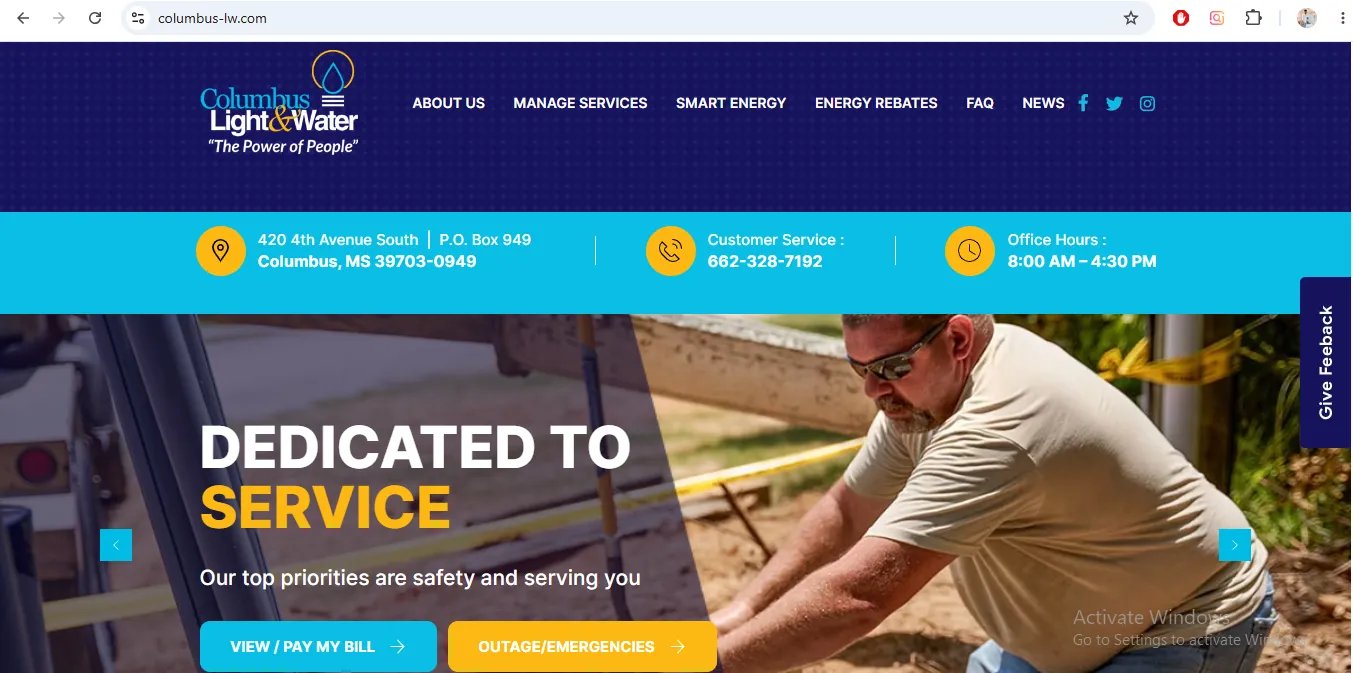
Image description: This helpful visual reference is placed near the official payment and contact section to guide Columbus MS users toward the utility website area for bill payment, account access, customer service and outage/emergency information. It should not be treated as official proof or endorsement.
Main utility website with office details, customer service, View / Pay My Bill, outage map and service links.
Open official websiteOfficial online bill-payment route linked from Columbus Light & Water.
Open payment portalLive outage map for checking reported outages in the Columbus Light & Water service area.
Open outage mapOfficial emergency reporting page with customer service and outage/emergency contact information.
Open emergency pageUse residential services and Manage Services when starting service or updating account information.
Open residential pageOfficial answers for balance, outages, service turn-on/off, extensions, late fees, deposits and billing questions.
Open FAQHow to Check Your Columbus Light & Water Balance
If you only need the current amount due, Columbus Light & Water gives several balance-check options. This is useful when the paper bill is missing, the due date is close, or you need to confirm the amount before requesting an extension.
Balance option |
What to do |
When to use it |
|---|---|---|
Automated phone system |
Call 662-328-7192 and choose option 3. |
Quick balance check without waiting for a representative. |
Customer service |
Call 662-328-7192 and choose option 2. |
Use for payment posting, charges, extension guidance, or service status. |
Mobile app |
Download the Columbus Light & Water Dept app. |
Useful for mobile access, balance review, and account management. |
Online profile |
Create an online profile through the website/payment system. |
Best for viewing bill statements and account records. |
Which Payment Method Should You Use?
A current bill, a due-today bill, a past-due balance, a payment-extension request, and a move-out account should not be handled the same way.
Your situation |
Best action |
Why this is safer |
|---|---|---|
Bill is current and not urgent |
Pay online through View / Pay My Bill or use the app. |
Fastest option when there is no service-risk issue. |
Bill is due today |
Pay online, save proof, then call customer service if service is at risk. |
A receipt helps, but calling confirms whether extra action is needed. |
Account is past due |
Call 662-328-7192 before or immediately after payment. |
Past-due accounts may need staff confirmation, not only an online receipt. |
You need a payment extension |
Visit the office with at least half of the past-due amount. |
The official FAQ says extension requires office visit, payment and signed agreement. |
Payment failed or duplicate payment happened |
Call customer service with both confirmation records or bank/card proof. |
Staff can review account posting and help avoid repeated wrong payments. |
You are moving out |
Request disconnection instead of only paying the current bill. |
Payment does not close the account. Service can remain active until disconnection is requested. |
Report a Columbus Light & Water Outage or Emergency
Do not use the regular payment page for outages or urgent service problems. Outages and emergencies need to reach the correct support route quickly.
-
Check whether the issue is only your property.
Look at nearby lights, neighbors, breakers, water fixtures, and visible service issues if it is safe. -
Use the live outage map.
Open the official Columbus Light & Water outage map to check reported outages. -
Call the correct outage route.
Use option 4 during working hours or 662-243-7440 after hours. -
Give clear location details.
Share your service address, nearest cross street, visible issue, pole/line detail, water problem, or nearby landmark. -
Stay away from unsafe conditions.
Never touch downed lines, exposed utility equipment, flooded electrical areas, or damaged infrastructure.
Payment Extension Rules: What Columbus Light & Water Requires
A payment extension is not just a phone request. Columbus Light & Water’s FAQ gives a clear requirement: visit the office, pay at least half of the past-due amount, and sign the agreement.
-
Check the current past-due balance.
Use the automated balance option, app, online profile, or customer service. -
Prepare at least half of the past-due amount.
The FAQ says at least half is required to request an extension. -
Visit the office during office hours.
Go to Columbus Light & Water at 420 4th Avenue South, Columbus, MS. -
Read and sign the agreement.
Confirm the promised payment date, remaining amount, and what happens if the agreement is missed. -
Keep copies.
Save your receipt and agreement until the account is fully current.
Start New Service, Update Contact Info, or Manage Service Online
For new service, Columbus Light & Water says customers can use the Manage Services tab on the website or apply in the office. If you are moving in, restarting service, or changing account responsibility, prepare your documents before you begin.
Service need |
Best first step |
Prepare before starting |
|---|---|---|
New residential service |
Service address, start date, ID, contact information, deposit/payment details, and prior-account status if applicable. |
|
Apply in office |
Visit 420 4th Avenue South during office hours. |
Photo ID, service address, phone/email, mailing address, and payment/deposit information. |
Update contact information |
Use the Manage Services tab on the official website. |
Account number, correct phone number, email, mailing address, and service address. |
Old bill before new service |
Review the FAQ and call customer service before applying. |
The FAQ says customers may need to pay a deposit and half of the old bill to establish new service. |
Moving Out? Disconnect Service Before You Leave
If you move out and do not request disconnection, the service can remain active until it is disconnected for nonpayment. The FAQ says once disconnected for nonpayment, there is a 10-day window before all services are terminated, the deposit is applied, and a final bill is generated.
-
Request disconnection before your move date.
Do not assume service ends automatically when you move. -
Use office form or email.
Visit the office to fill out a disconnection form or email customerservice@columbuslw.com. -
Include the required details.
The FAQ says to include name, service address, date of disconnection, last four digits of SSN, and forwarding address. -
Ask about final bill and deposit.
Confirm final bill timing, mailing address, and whether any deposit will be applied. -
Keep written proof.
Save the email, office copy, confirmation number, or disconnection request record.
Move-In and Move-Out Timeline for Columbus Light & Water Customers
Moving is where many utility billing mistakes happen. Use this timeline so service starts or stops on the correct date and the final bill goes to the right place.
Timing |
If you are moving in |
If you are moving out |
|---|---|---|
7–10 days before move |
Confirm address is in service area and ask about deposit or old-bill requirements. |
Choose your exact disconnection date and collect forwarding address details. |
3–5 business days before move |
Apply through Manage Services or prepare office visit documents. |
Submit disconnection form or email required details to customer service. |
Move day |
Be available if water turn-on may require someone at the property. |
Keep final utility request proof and note who received your request. |
After move |
Create online profile or app access and confirm first bill mailing/contact details. |
Watch for final bill and confirm deposit application if applicable. |
Bill Statement Questions, Charges, Late Fees, Garbage Billing and High Usage
Columbus Light & Water’s FAQ says the bill statement has a breakdown of charges. If you did not receive a paper bill, create an online profile and view bill statements electronically before calling.
High Columbus Light & Water Bill? Check These Things First
A high utility bill can come from more than one reason. Before assuming the bill is wrong, check electric use, water use, garbage billing, old balance, late fee, seasonal changes and payment posting.
Possible reason |
What to check |
What to ask customer service |
|---|---|---|
Old balance carried forward |
Compare last bill, current bill and recent payments. |
“Is any part of this amount from a previous unpaid balance?” |
Late fee |
Due date, payment date and whether payment posted after grace period. |
“Can you show me when the late fee was added?” |
Higher electric use |
HVAC, heaters, AC, extra appliances, guests, weather and usage pattern. |
“Can you compare this usage with previous months?” |
Water running inside |
Toilets, faucets, outdoor spigots, water heater, leaks and irrigation. |
“Does my usage show continuous water flow or unusual increase?” |
Garbage billing |
Whether the garbage charge is included for city-limit residential service. |
“Is this garbage charge mandatory for my service address?” |
Payment not posted |
Receipt, confirmation number, bank/card record and payment date. |
“Can you locate this payment using my confirmation number?” |
What to Say When You Call Columbus Light & Water
Calling is faster when you already know what to ask. Use these simple scripts and keep your account number, service address, phone number and latest bill in front of you.
Problem |
Say this |
Before you call |
|---|---|---|
Payment posted but account still shows due |
“I made a payment on [date] for $[amount]. I have confirmation number [number]. Can you confirm whether it posted to my account?” |
Receipt, confirmation number, payment method and account number. |
Need payment extension |
“I want to request an extension. What is my past-due amount, how much must I pay today, and what do I need to sign in the office?” |
Past-due balance, available payment amount and visit time. |
Moving out |
“I need to disconnect service on [date]. Please confirm the final bill process and where my final bill will be sent.” |
Move-out date, forwarding address and last four digits of SSN. |
Starting service |
“I need to start service at [address]. Can you confirm required deposit, old-bill requirement if any, and whether someone must be present for water turn-on?” |
Address, ID, move-in date, phone/email and payment method. |
Outage or emergency |
“I am reporting an outage/emergency at [address/nearest cross street]. The issue is [downed line/no power/water issue]. Is it already reported?” |
Exact location, visible issue, nearby landmark and safety details. |
Office Visit Checklist: Do Not Go Empty-Handed
Some Columbus Light & Water tasks are easier or required in person, especially payment extensions, new service questions, disconnection forms and account problems. Carry the right details so you do not need a second trip.
Common Mistakes That Delay Payment, Service or Account Help
These mistakes are small, but they can create late fees, failed service requests, wrong-account payment, or continued billing after move-out.
- Paying without checking the address: Always confirm the service address before submitting payment online.
- Waiting until after hours for account help: After-hours number is for outage/emergency dispatch, not normal billing help.
- Assuming an extension is approved by phone: The FAQ says you need to visit the office, pay at least half past due and sign the agreement.
- Moving out without disconnection: Service can remain active and billing can continue until disconnection is requested.
- Deleting payment proof: Keep receipts until the account shows paid.
- Ignoring old bills before new service: If you have an old balance, call first because deposit plus half of the old bill may be required.
- Expecting water to be left on when something is running inside: The FAQ says the serviceman will not leave the water meter on if something is running inside the property.
- Calling the wrong place for garbage questions: Columbus Light & Water bills residential city-limit garbage, but the FAQ lists Golden Triangle Waste for garbage questions.
Keep This Proof Until the Issue Is Fully Solved
Many utility problems are easier to fix when you can show dates, amounts and confirmations. Save proof for at least one full billing cycle after the issue is resolved.
Situation |
Proof to save |
Why it helps |
|---|---|---|
Online payment |
Confirmation number, receipt email, screenshot, bank/card record. |
Helps prove payment if account still shows unpaid. |
Payment extension |
Signed agreement, receipt, payment amount, promised due date. |
Helps confirm the extension terms. |
Disconnection request |
Email copy, office form copy, disconnect date and forwarding address. |
Helps prevent continued billing after move-out. |
New service |
Application confirmation, deposit receipt, service date, contact notes. |
Helps if turn-on is delayed or account setup is incomplete. |
Outage report |
Call time, address, outage map screenshot, report details. |
Helps if you need to follow up later. |
Deposits, Old Bills and Service-Area Questions
Before applying for service, check whether the address is in the Columbus Light & Water service area and whether any old bill affects the new account.
Question |
Official FAQ guidance |
What to do next |
|---|---|---|
Is my property in the service area? |
Call and provide the address so Columbus Light & Water can confirm. |
Call 662-328-7192 before completing move-in plans. |
Residential deposit |
Residential deposits are calculated according to services provided. |
Ask customer service what applies to electric only, electric + water, water only, or homeowner service. |
Commercial deposit |
Commercial deposits are based on previous highest bill statements or load information. |
Prepare business details and load/service information before applying. |
Old bill before new service |
Customer may need deposit plus half of the old bill to establish new service. |
Call before applying so you know the amount required. |
Columbus Light & Water Office, Mailing Address and Contact Details
Use the office for payment extensions, disconnection forms, account setup questions, service-area confirmation, deposit questions, and complex billing issues.
Contact item |
Official detail |
Best use |
|---|---|---|
Office address |
420 4th Avenue South, Columbus, MS 39703-0949 |
In-person forms, extensions, service questions, account help. |
Mailing address |
P.O. Box 949, Columbus, MS 39703-0949 |
Mailed documents or bill-related correspondence. |
Customer service |
Billing, balance, payment, service, extension and account questions. |
|
Outages / emergencies |
After-hours outage or emergency dispatch. |
|
Office hours |
8:00 AM – 4:30 PM |
Visit during office hours for extension agreements or forms. |
Map to Columbus Light & Water Office
Columbus Light & Water lists its office at 420 4th Avenue South, Columbus, MS 39703-0949. Use the map before visiting for payment-extension agreements, service forms, account help or disconnection paperwork.
Columbus Light & Water Department FAQs
How do I pay my Columbus Light & Water bill online?
Use the official Columbus Light & Water website and choose View / Pay My Bill, or open the official payment portal linked from the utility website. Keep your current bill nearby before submitting payment.
What is the Columbus Light & Water customer service number?
Call 662-328-7192 for customer service, balance help, billing questions, service questions and account support.
What number do I call for a Columbus Light & Water outage?
During working hours, call 662-328-7192 and choose option 4. After hours, call 662-243-7440.
Where is Columbus Light & Water located?
Columbus Light & Water lists its office at 420 4th Avenue South, Columbus, MS 39703-0949. Its mailing address is P.O. Box 949, Columbus, MS 39703-0949.
How do I check my Columbus Light & Water balance?
Call 662-328-7192 and choose option 3, download the Columbus Light & Water Dept app, create an online profile, or speak with customer service by choosing option 2.
How do I request a payment extension?
The official FAQ says you need to visit the office, pay at least half of your past-due amount, and sign the agreement.
What should I bring for a payment extension?
Bring photo ID, your account number, service address, payment method and at least half of the past-due amount. Also ask for a copy of the signed agreement or write down the agreement terms.
How do I apply for new service?
Use the Manage Services tab on the official website or apply in the office. If you have an old bill, call first because additional payment may be required.
How do I disconnect service when moving?
Visit the office to fill out a disconnection form or email customerservice@columbuslw.com with name, service address, disconnection date, last four digits of SSN, and forwarding address.
Can I close my account just by paying the final bill?
No. If you are moving out, request disconnection separately. The official FAQ says service can remain active until disconnected for nonpayment if you leave without requesting disconnection.
What happens if I move and forget to turn service off?
The FAQ says service remains active until disconnected for nonpayment. Once disconnected for nonpayment, there is a 10-day window before all services are terminated, the deposit is applied, and a final bill is generated.
Can Columbus Light & Water late fees be waived?
No. The official FAQ says late fees cannot be waived.
Why is my electric on but my water is not after new service?
The FAQ says for new service, the serviceman will not leave the water meter on if something is running inside the property. The customer may need to be at the property so the source of running water can be identified.
Who should I call if the garbage charge appears on my bill?
Columbus Light & Water says residential customers within city limits are billed for garbage pickup and that garbage is mandated by the City of Columbus Mayor’s Office. For garbage questions, the FAQ lists Golden Triangle Waste at 662-327-6660.
What should I check before disputing a high Columbus Light & Water bill?
Compare your current bill with previous bills, check for old balances, late fees, garbage billing, electric usage changes, water leaks, payment posting problems and seasonal usage changes. Then call customer service with exact dates and amounts.
Is WaterBillGuide.us the official Columbus Light & Water website?
No. WaterBillGuide.us is an independent informational guide. It does not process payments, access accounts, approve extensions, start or stop service, restore outages, dispatch crews or represent Columbus Light & Water.
Best Next Step for Columbus Light & Water Customers
If your bill is normal, use the official View / Pay My Bill portal and save the receipt. If you need an extension, check your past-due amount and visit the office with at least half of the past-due balance. If you are moving, request disconnection before you leave. If there is an outage or emergency, call the emergency route instead of using the payment portal.
Editorial Review and Independent Guide Disclaimer
This article was prepared for Columbus Light & Water customers in Columbus, Mississippi. It uses official Columbus Light & Water resources for bill payment, app/account access, customer service, outage reporting, balance checks, payment extensions, service turn-on/off, deposits, garbage billing, late fees and office contact details.
WaterBillGuide.us is not Columbus Light & Water. We do not process payments, access accounts, approve extensions, start or stop service, waive late fees, restore outages, dispatch crews, remove charges or make billing decisions. For account-specific help, contact Columbus Light & Water directly.
Official resources checked include Columbus Light & Water homepage, View / Pay My Bill link, Report Outages/Emergencies page, outage map, Residential / Manage Services page and official FAQ page. The image in this guide is included only as a helpful visual reference for users.

Editorial Team
WaterBillGuide.us
The content on WaterBillGuide.us is researched and prepared by our editorial team. Our writers and researchers review publicly available information from official utility websites and service portals to create clear, step-by-step informational guides.
Water Bill Payment, Leak & Utility Help Toolkit
Use this free helper to find the official water bill portal, avoid unsafe payment pages, handle late bills, troubleshoot high usage, prepare start/stop service documents, and contact the utility office with the right details.
Official Water Bill Portal Finder
Enter your city, state, and utility name. This tool creates safe search shortcuts for the official bill pay portal, customer service page, outage line, and start/stop service page.
Safe Water Bill Payment Checklist
Before paying online, use this checklist to reduce the risk of wrong payment, duplicate payment, missed receipt, or third-party confusion.
Late Bill, Shutoff Notice & Reconnection Action Plan
Select your situation and get practical next steps. This helps users act quickly without guessing.
High Water Bill & Leak Troubleshooter
A high bill can be caused by leaks, irrigation, estimated readings, seasonal use, or account/meter issues. Choose the closest problem below.
Start, Stop or Transfer Water Service Checklist
Moving in or out? Choose your situation and prepare the details most utilities commonly request.
Your preparation checklist
Payment Assistance & Arrangement Finder
If you cannot pay the full water bill, this guide helps you decide what to ask before disconnection or extra fees.
Water Department Call Script Generator
Generate a clear call or email script before contacting the utility billing office.